
DAW Basics: Parts of a Digital Audio Workstation
Free Music Worksheets / Music Technology
Use a software-neutral interface diagram to identify transport controls, timeline, playhead, tracks, audio and MIDI clips, mixer, meters, and the browser or library.
Download DAW Basics with answer key (2-page PDF)
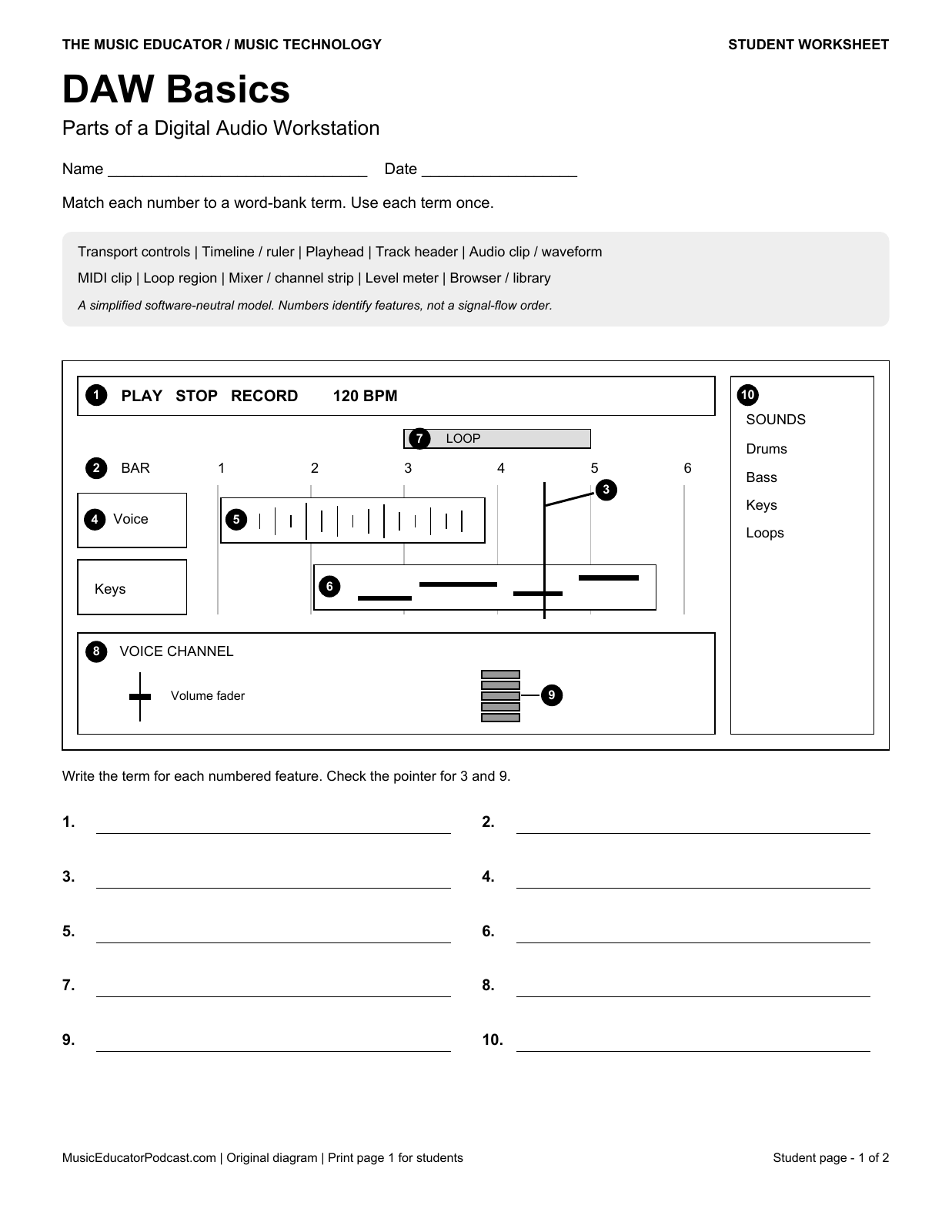
Two-page US Letter PDF. Print page 1 for students; page 2 provides the matching answer key. Ten numbered features correspond to ten answer spaces.
Learning goals
- Locate playback controls, the bar ruler, and the playhead.
- Distinguish an audio waveform from MIDI note blocks.
- Identify a channel strip, level meter, loop region, and sound browser.
Use it in class
Before opening a music project, have students locate the play control, a track, and the playhead on the worksheet. Then find those same features in your classroom software. Discuss one difference between the diagram and the actual interface rather than expecting every DAW to look identical.
Read the diagram
The black numbered markers identify features. Markers 3 and 9 have short pointers to the playhead line and level meter. The loop region sits above the bar ruler. This is a simplified interface model, not a screenshot of a specific application.
Frequently asked questions
Does this require a DAW account?
No. Students can complete the printed task without software. A classroom demonstration is an optional extension.
Is an answer key included?
Yes. Page 2 uses the same diagram and numbered answer spaces as the student page.
Printing and review
Print the PDF on US Letter paper. Check print preview before distributing copies; use a separate teacher copy when reviewing answers. The downloadable worksheet is branded The Music Educator.
Browse more music technology worksheets · Browse all worksheet subjects