Music Technology Worksheets
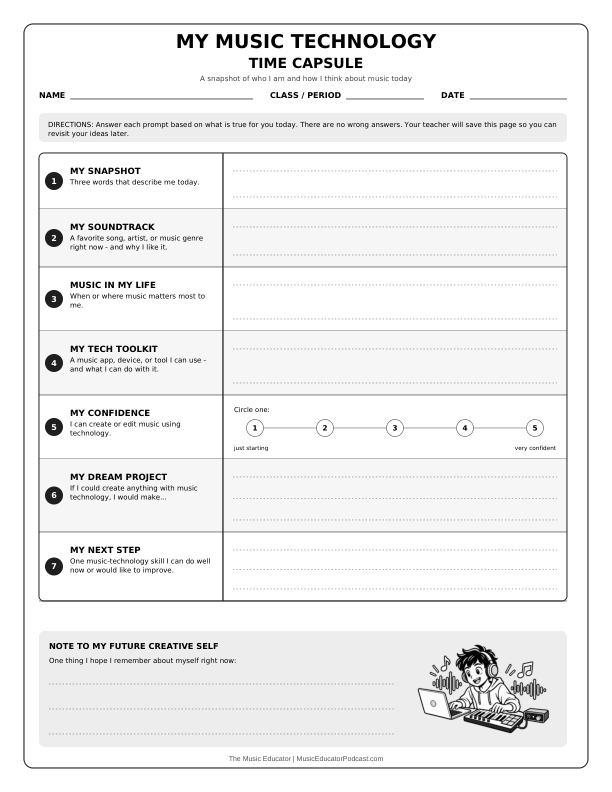
Introduce the parts of a digital audio workstation, practice reading a multitrack timeline, or invite students to reflect on their interests and growing confidence as music creators.
Select a resource to see its preview, teaching notes, and printable PDF. Downloads are free.
Choose a starting point
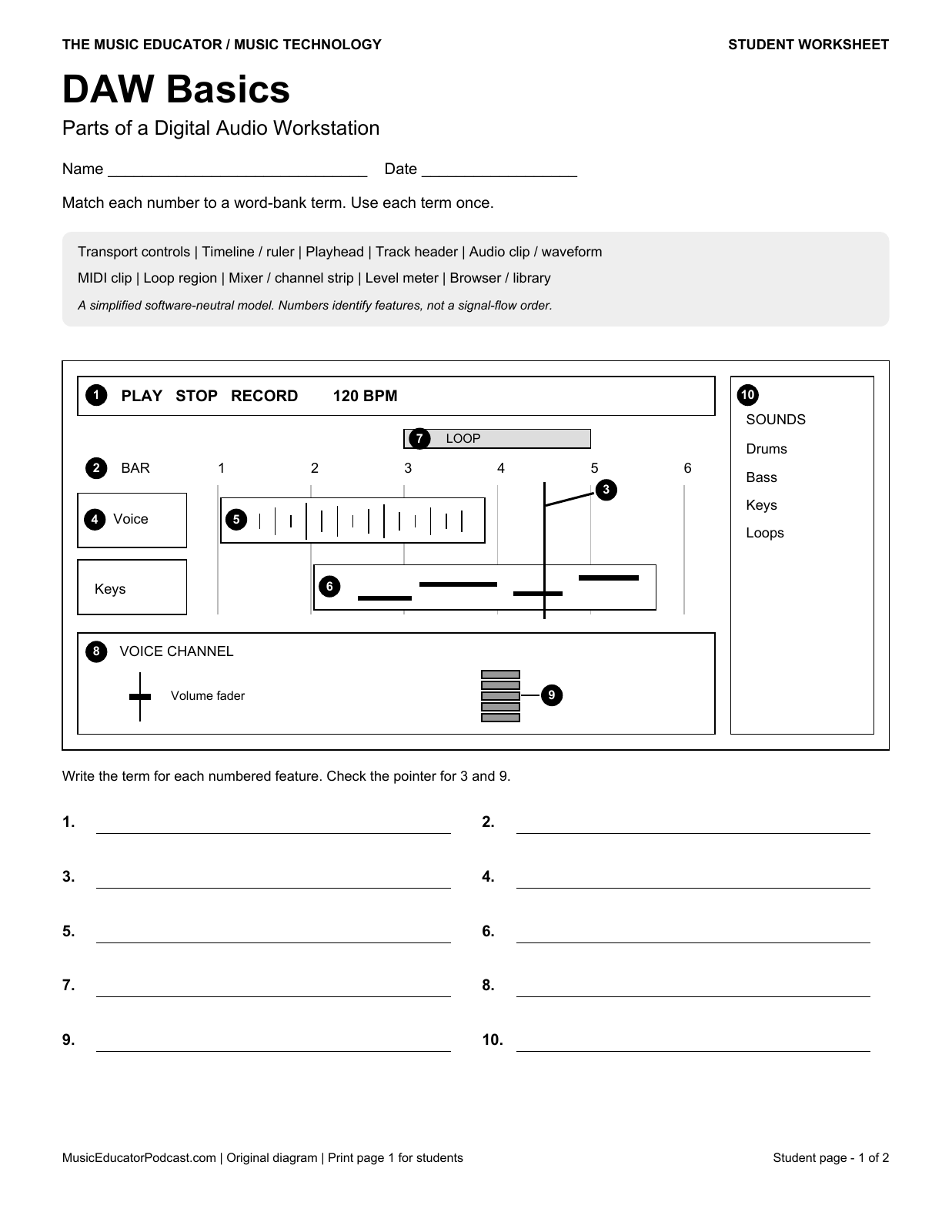
- Students cannot yet locate the controls: begin with DAW Basics, then find the playhead, tracks, and transport controls in your classroom software.
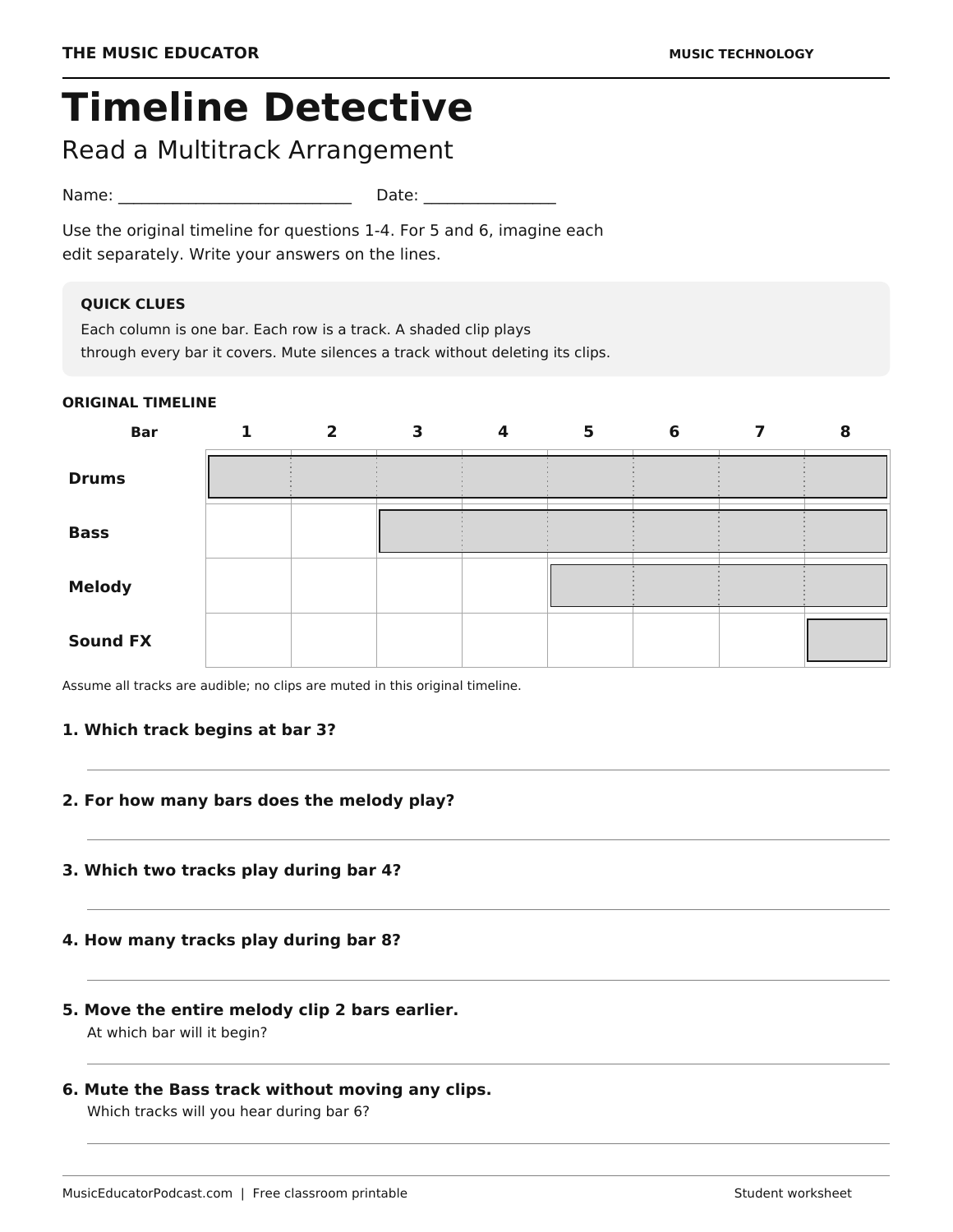
- Students confuse when clips play: use Timeline Detective for track overlap and bar-based arrangement. Its columns are bars, not seconds.
- Students are ready to edit speech: follow the audio-editing lesson sequence below. These activities use seconds and focus on selection, order, transitions, levels, and export.
Choose one starting skill rather than assigning every worksheet at once. The five audio-editing PDFs each include a student page followed by the answer key; print page 1 for students. Their paper tasks require no audio files or software account. Optional listening demonstrations need teacher-provided audio.
New: MIDI, Digital Audio, and Mixing Labs
Fourteen additional worksheets build on the introductory activities below. Each has eight questions, a student page, and a matched answer key. Choose individual PDFs or print a seven-worksheet packet.
MIDI and Digital Audio Lab
Help students explain what changes inside a digital music project. These seven printable activities connect MIDI events, timing, channel routing, sample rates, and bit depth to small models students can inspect and calculate.
- MIDI Pattern Transposition — Move a whole pattern while preserving its rhythm.
- MIDI Duration and Velocity — Separate how long a note lasts from its attack data.
- Quantization Distance Lab — Choose the nearest beat without changing every property.
- Tempo and Project Duration — Calculate elapsed time for a fixed musical length.
- Mono and Stereo Routing — Match recorded channels with the source you intend to capture.
- Sample-Rate Counting Lab — Count sample values without confusing them with musical beats.
- PCM Bit-Depth Lab — Compare amplitude codes in a simplified digital-audio model.
Mixing and Project Delivery Lab
Give students a structured way to reason through mixing and project delivery before they touch a session. Seven printable activities cover gain, pan, automation, EQ, reverb routing, missing media, and export requirements.
- Gain-Stage Arithmetic — Track a peak through a simple series of level changes.
- Stereo Pan Position Map — Read relative left/right positions on a stated scale.
- Automation Breakpoint Reader — Read a level curve and calculate its straight-line midpoint.
- EQ Frequency Decision Lab — Choose a targeted equalizer change from supplied evidence.
- Reverb Send Route — Trace dry sound and a shared effect return.
- Project Asset Recovery — Reconnect missing audio without replacing the intended take.
- Export Specification Check — Compare candidate audio files with an exact assignment brief.
Music Technology Skills
Explore 27 free worksheets across this collection. These four diagram-based activities build skills in MIDI, beat programming, notation, and media project planning. Each includes ten questions on one student page and a matching answer key.
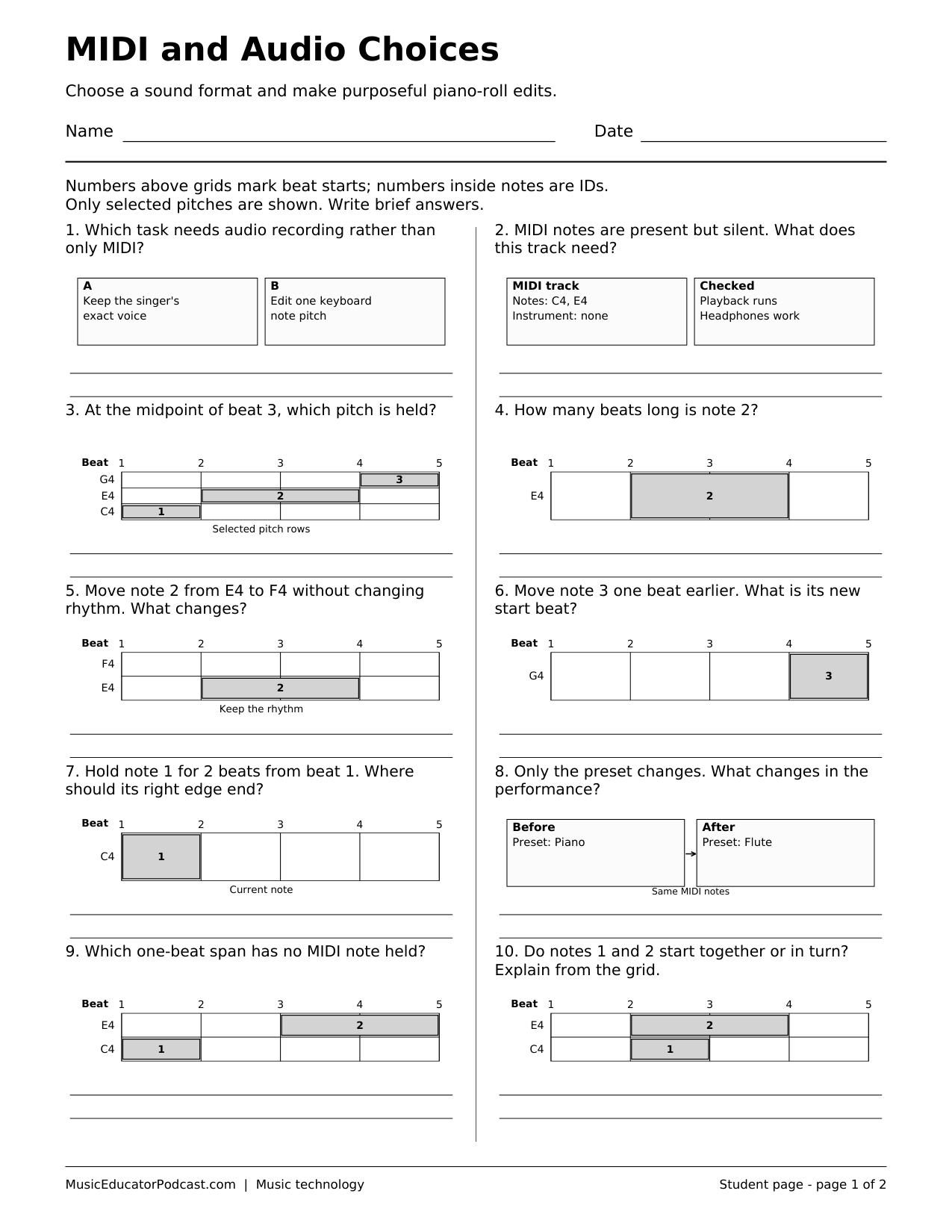
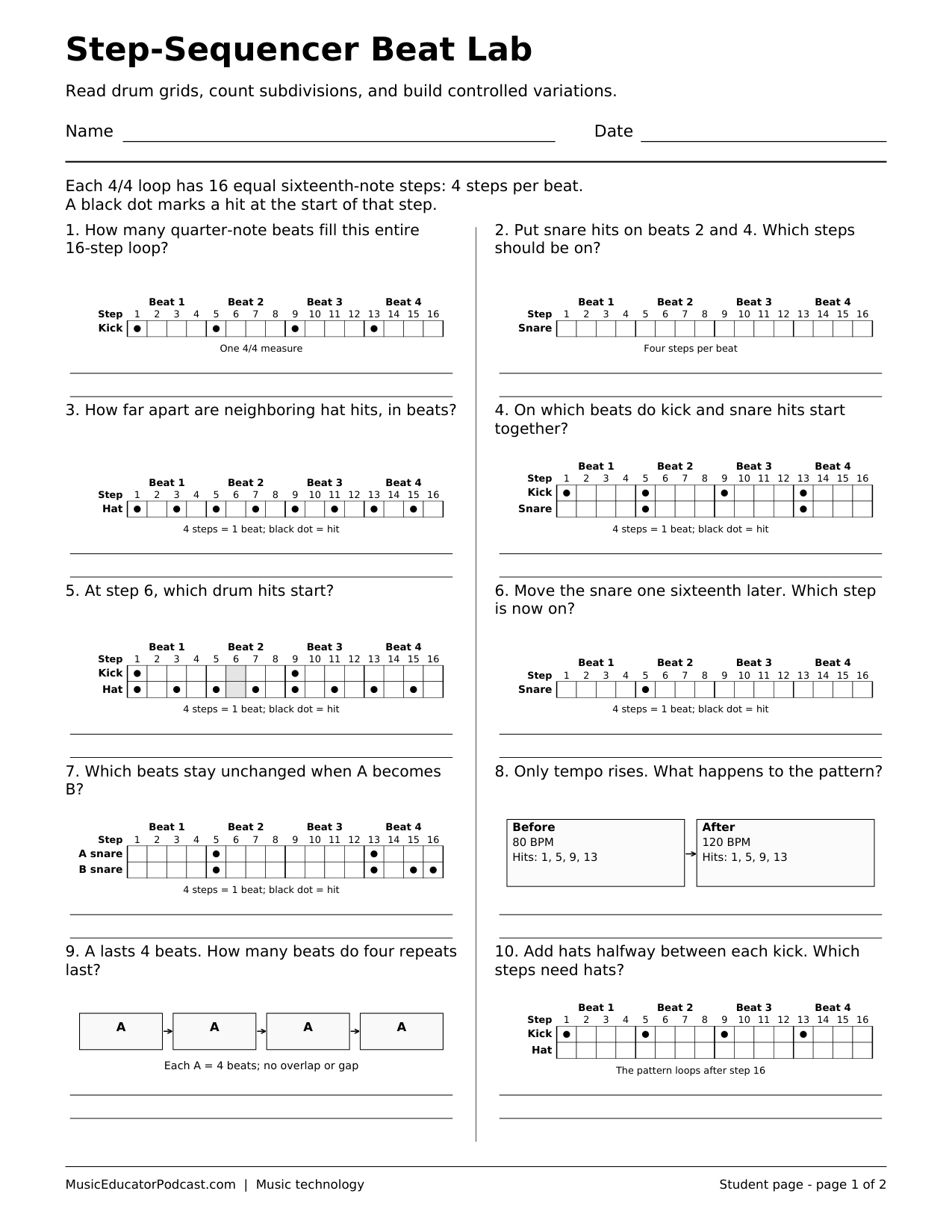
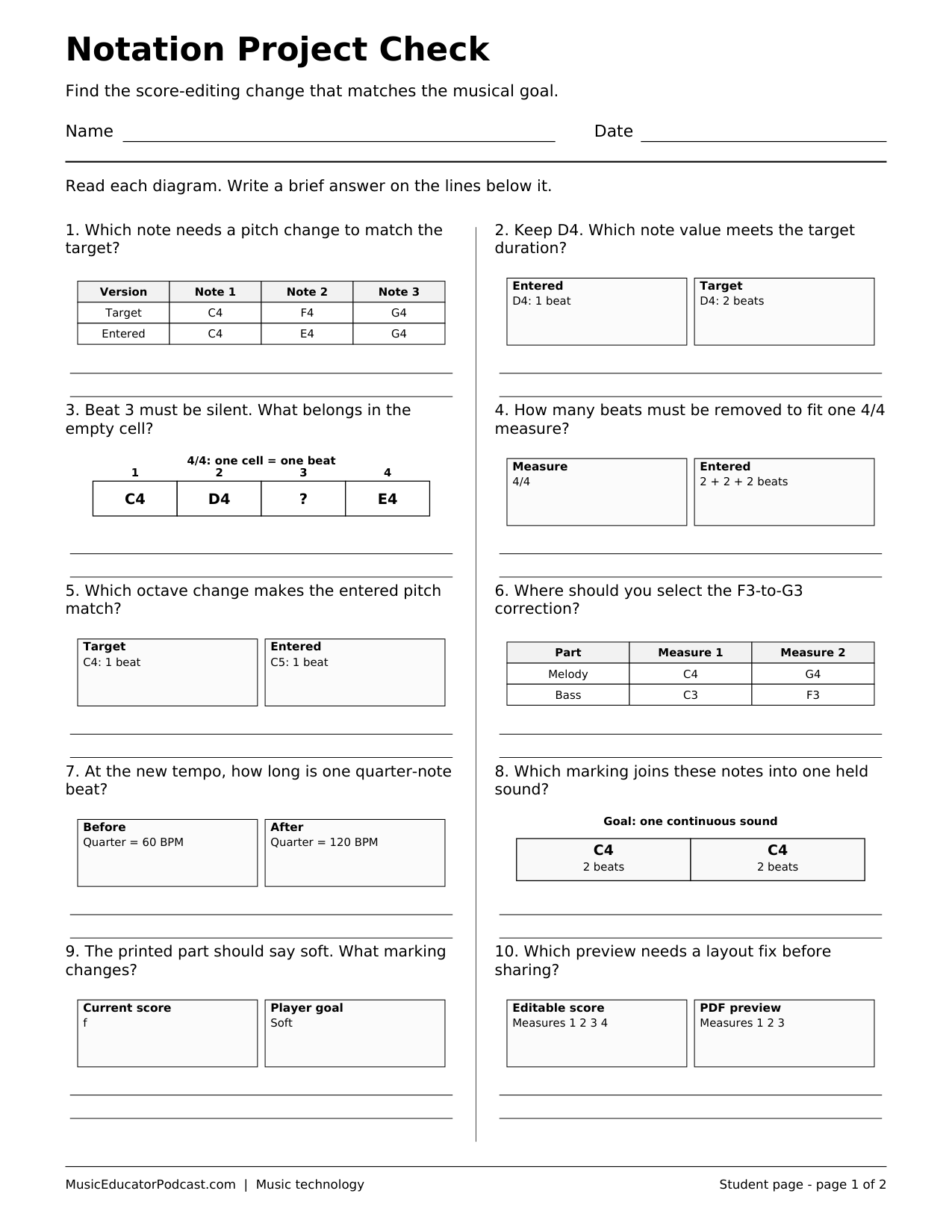
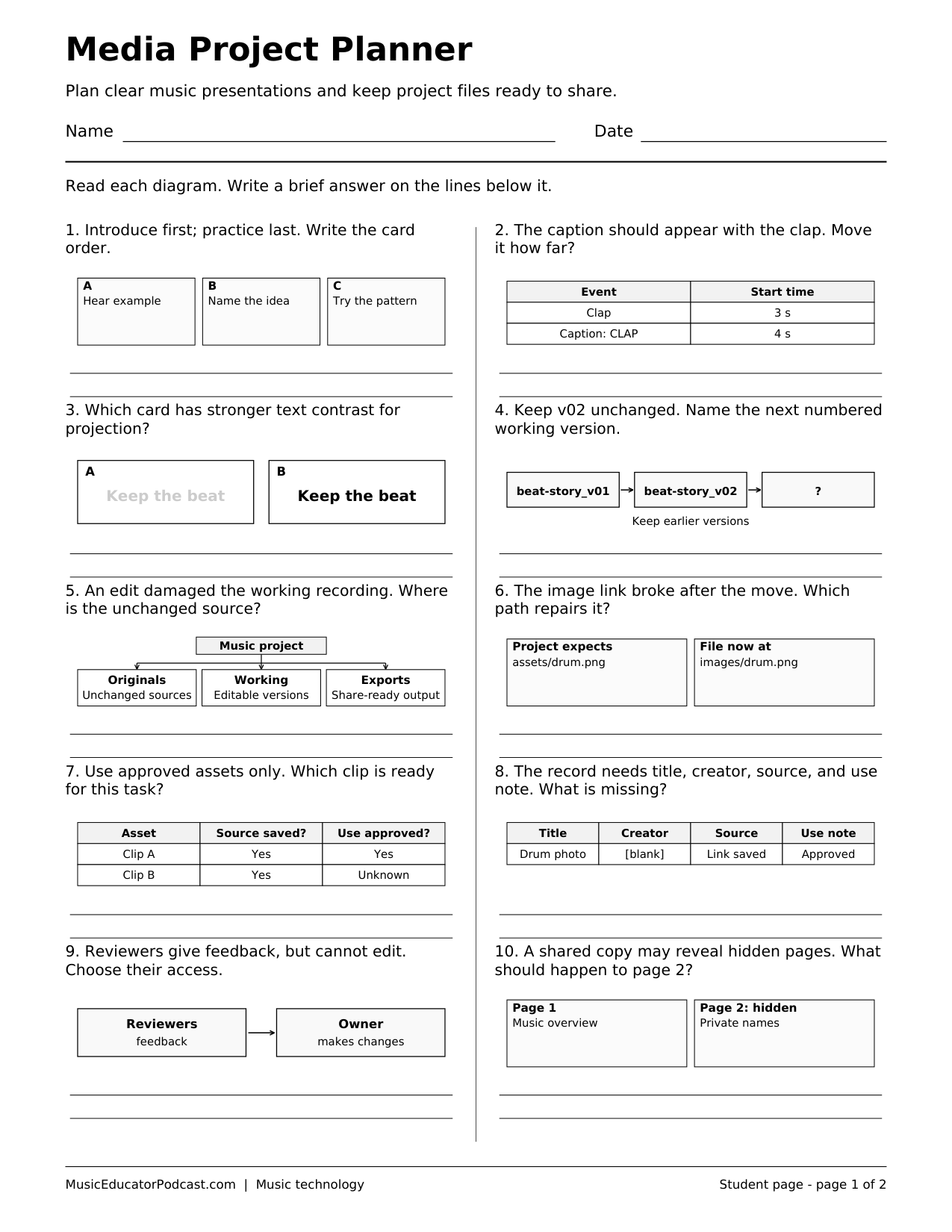
Start with one skill, ask students to explain the evidence in the diagrams, then try a related task in your class’s music or media software. These paper activities require no software account.
Audio editing
Five software-neutral beginner activities move from reading waveforms to editing and exporting a short podcast. Each PDF includes a student page and matching answer key.
Digital audio workstations
Reflection
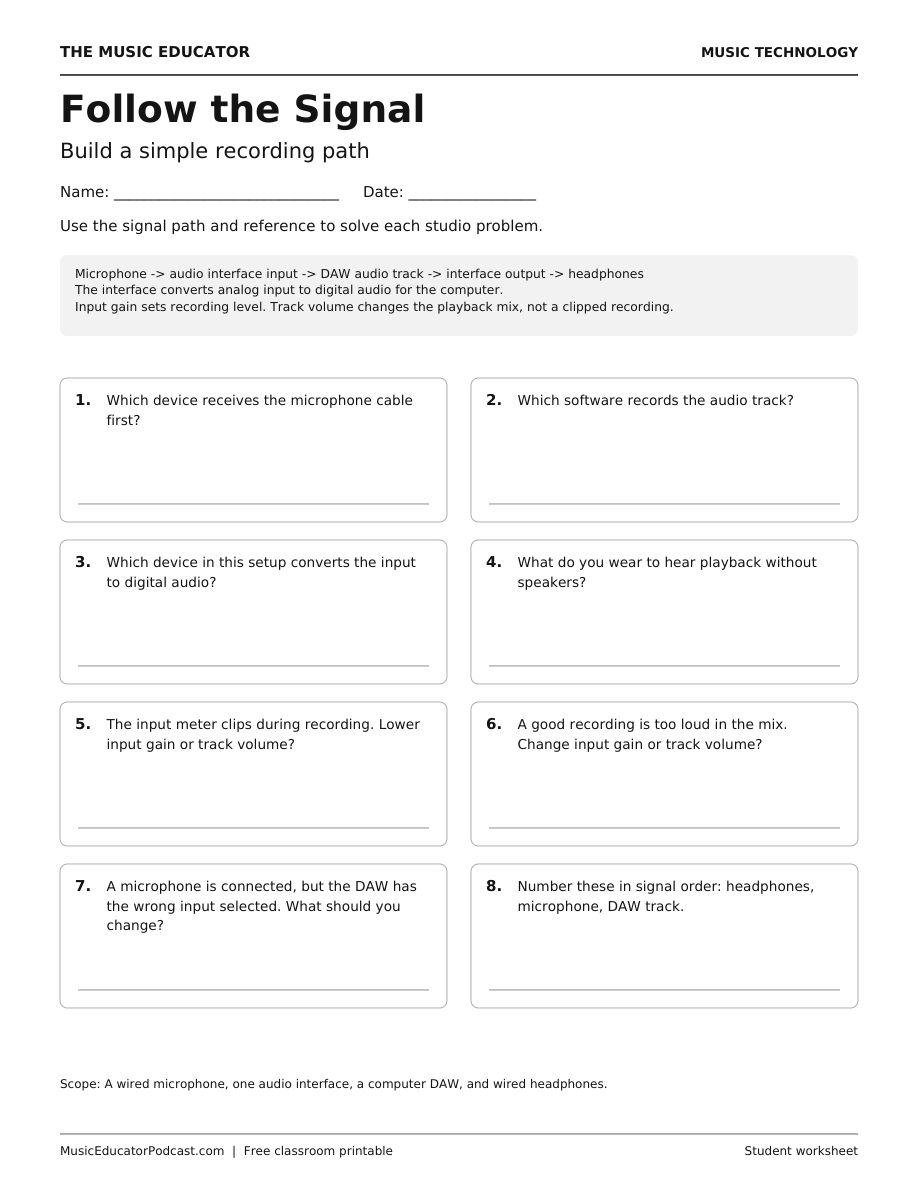
Recording signal flow
A paper-to-audio editing lesson sequence
Use this suggested progression across several short activities, not as a requirement to finish all five in one lesson. Move on when students can explain their edit, not only name a tool.
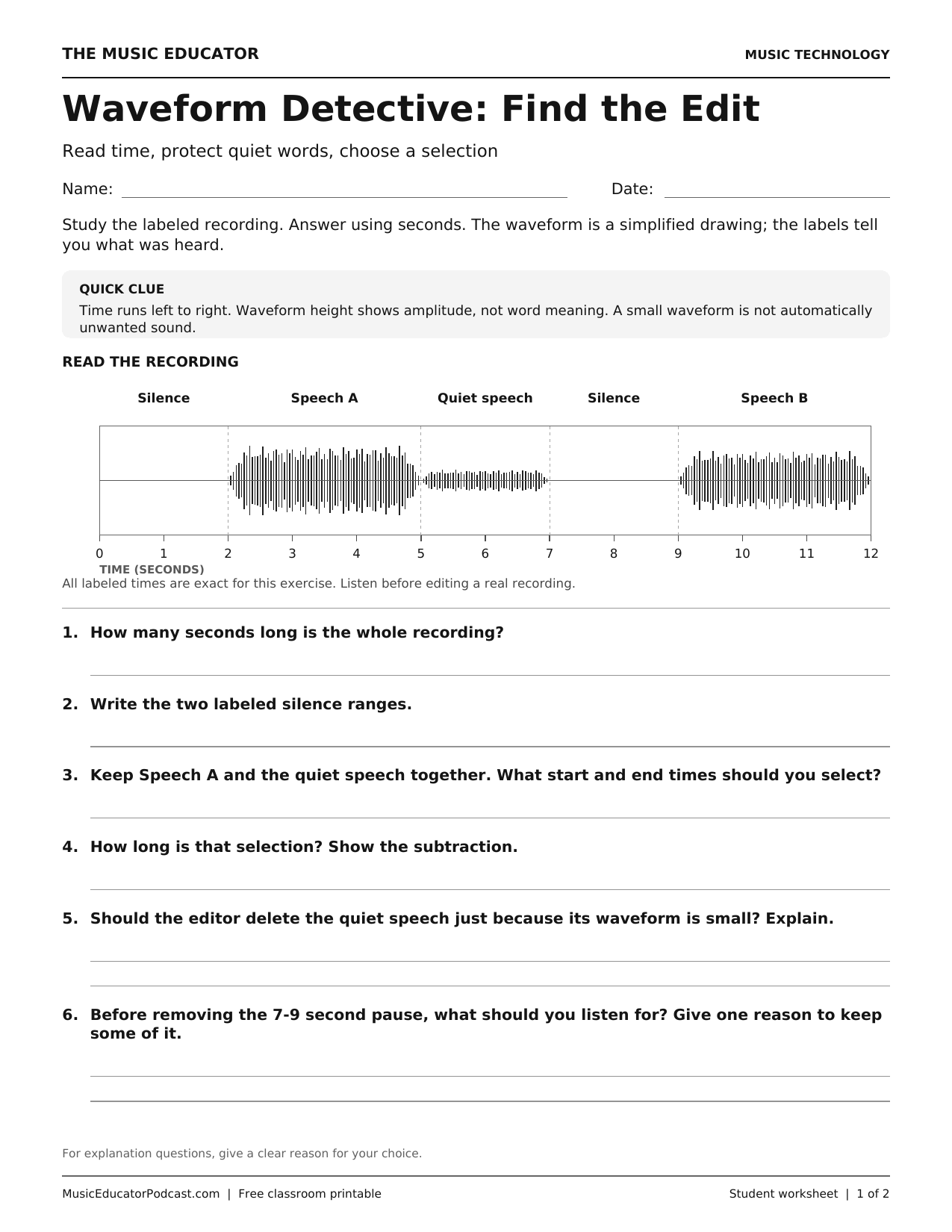
- Waveform Detective: Find the Edit: identify the range to select and calculate its duration. Ask why quiet speech should not be deleted just because its waveform looks small.
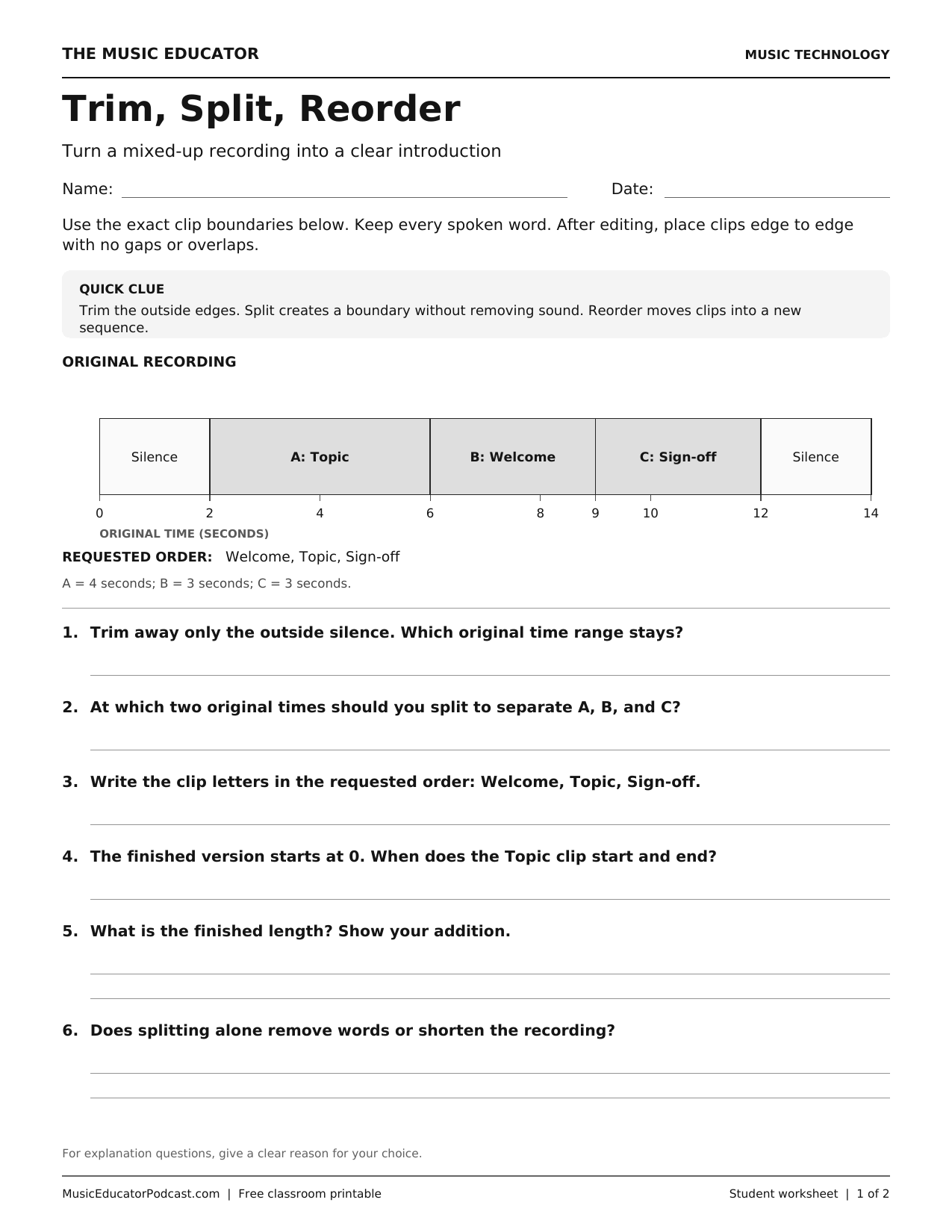
- Trim, Split, Reorder: separate removing unwanted ends, making boundaries, and moving clips. Have students distinguish the original recording times from the rebuilt timeline.
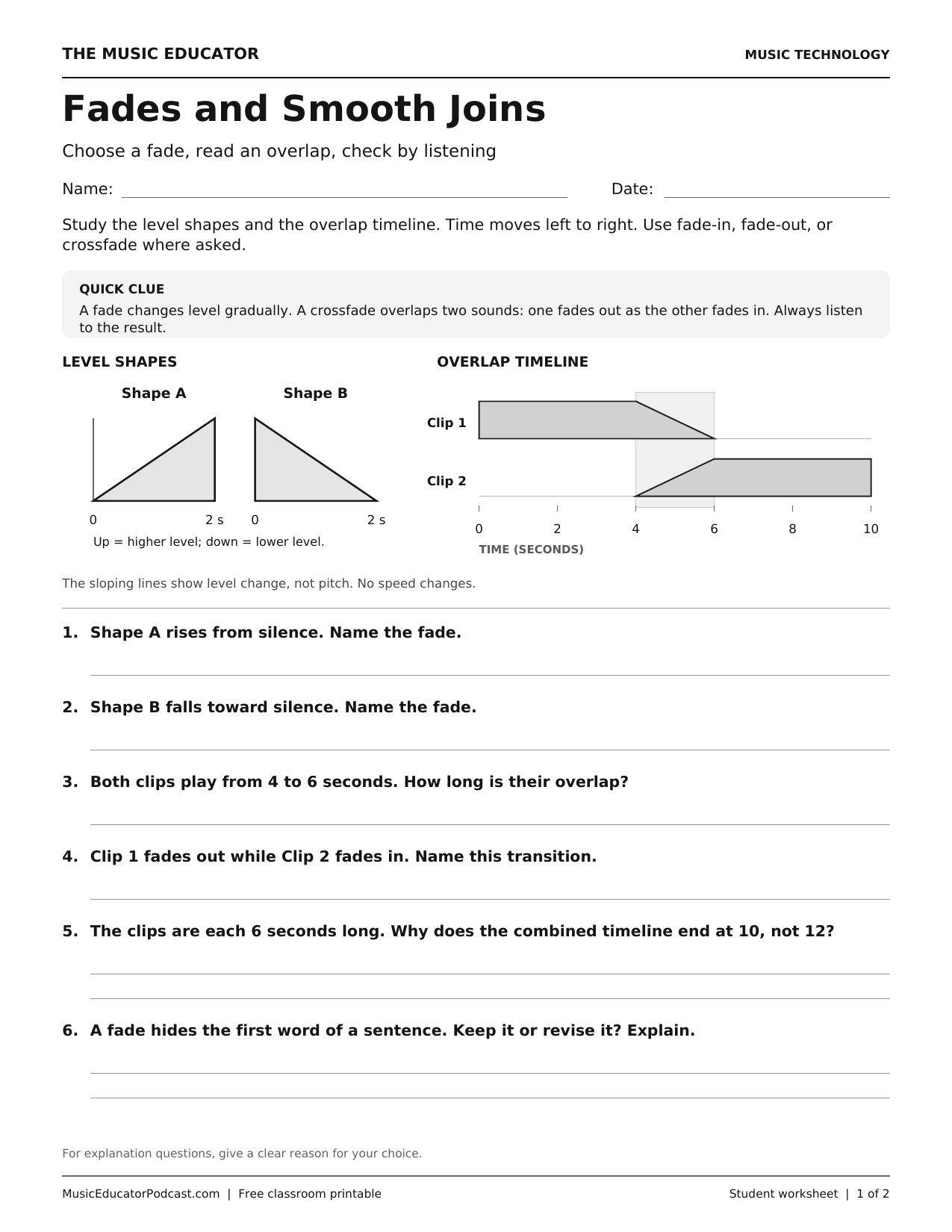
- Fades and Smooth Joins: choose a transition that preserves clear words. Ask what an overly long fade could hide, and why a crossfade changes the total duration.
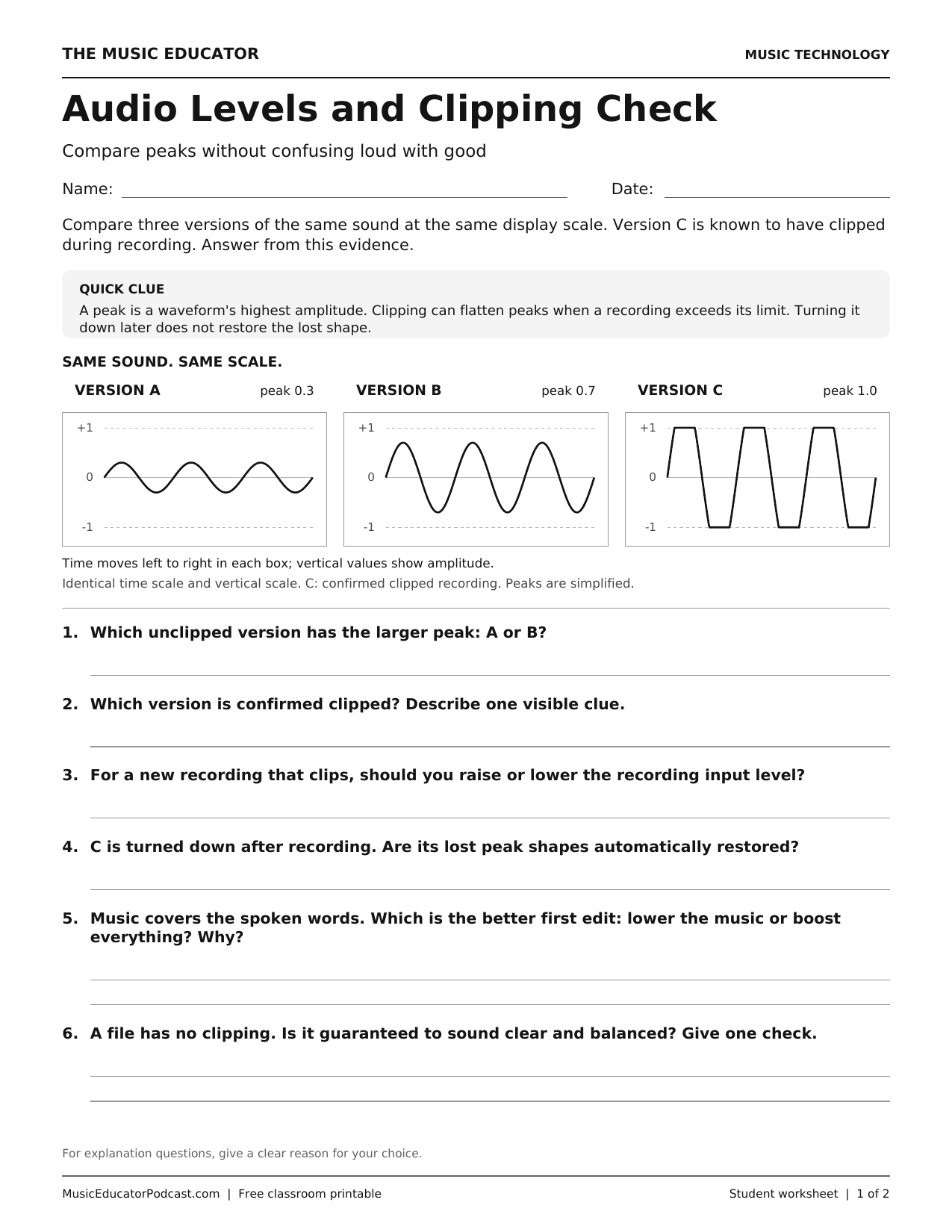
- Audio Levels and Clipping Check: compare like-for-like diagrams and plan a better test recording. Check that students understand making clipped audio quieter does not itself restore the missing detail.
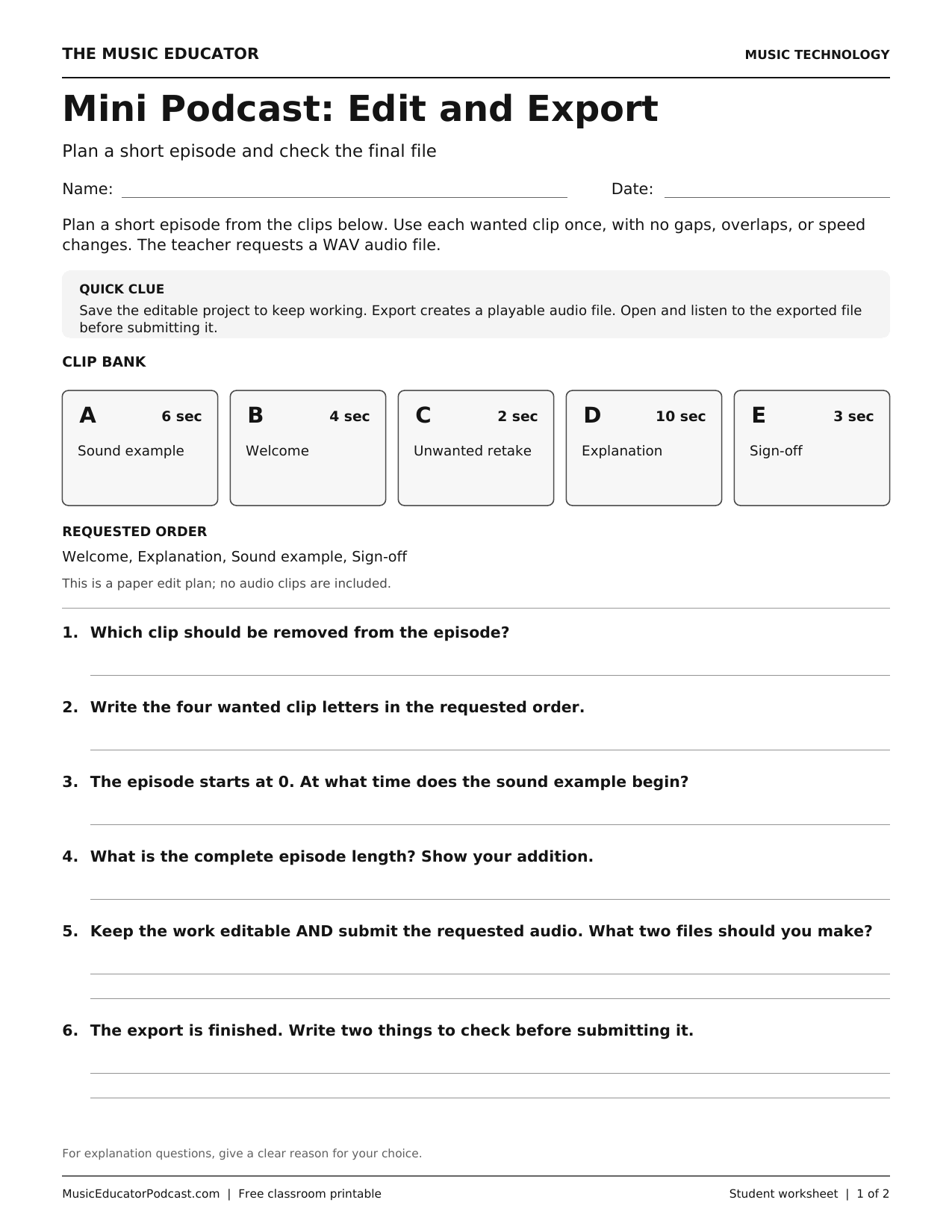
- Mini Podcast: Edit and Export: combine the decisions, calculate the finished length, and distinguish an editable project from the requested playable export.
Use one edit as the exit check
Ask: “What will you change, what must stay intact, and how will you check the result?” For an optional practical extension, keep an untouched original and use a short teacher-made or permission-cleared clip in a school-approved editor. Let students predict the result, make one edit, then listen across the boundary. For the final task, reopen the exported audio and check the beginning, joins, ending, and file requirements rather than assuming a successful export is ready to submit. Follow school privacy rules; public posting is not needed for this activity.