Media Project Planner
Music Technology Worksheets · Jump to the free PDF
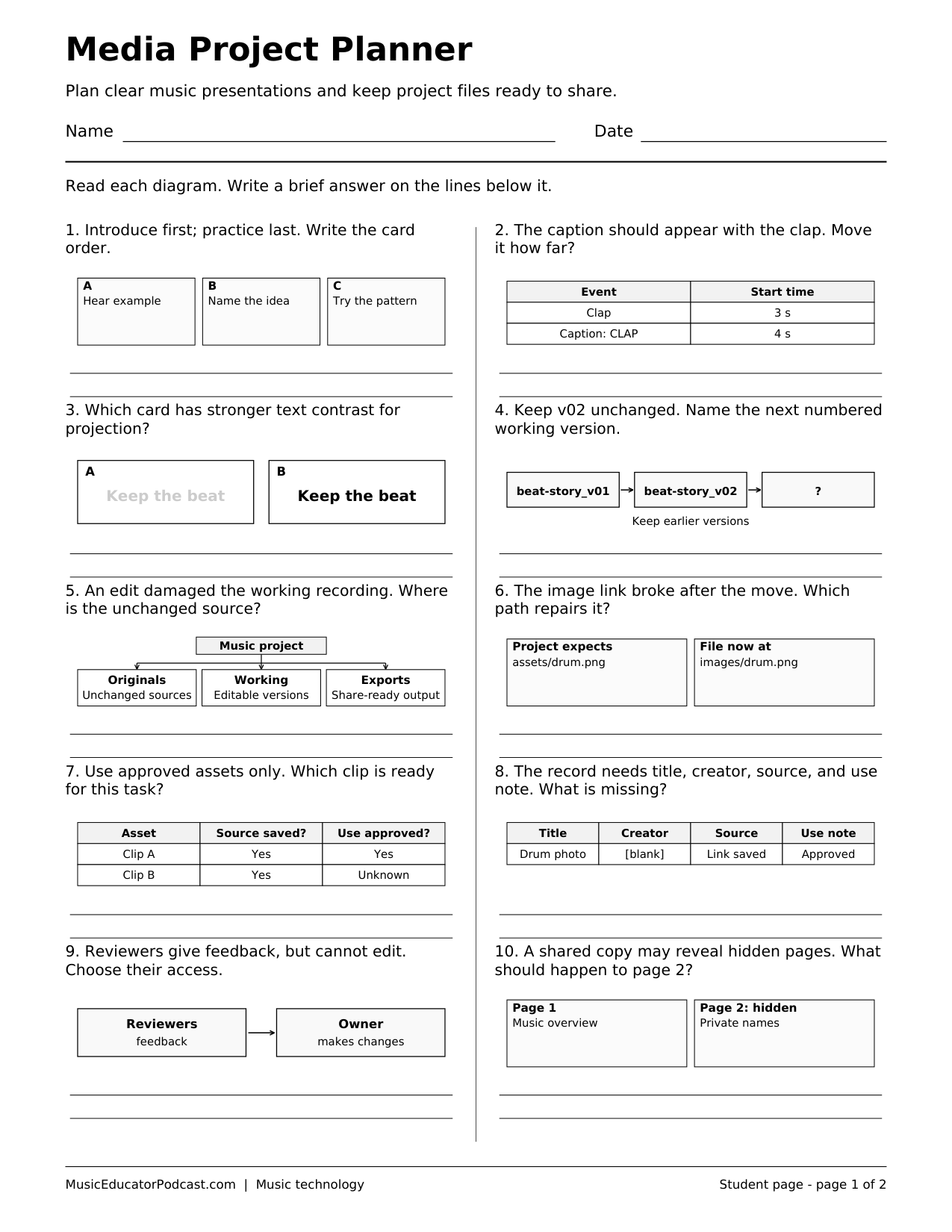
A music presentation needs more than an appealing opening image. Students use storyboard cards, source records, file versions, and sharing plans to make ten practical production decisions. The printable keeps the focus on readable communication, organized work, and teacher-approved use of media rather than on a particular design app.
Download and print
Download worksheet and answer key (2-page PDF)
Print page 1 for students. Page 2 is the matching answer key. The free download requires no account.
One US Letter student page with ten diagram-based planning questions and one matching answer key. Black-and-white layouts keep printing simple.
What students practice
- Arrange a clear sequence of visual and musical information.
- Choose readable visual treatments for a stated audience.
- Use source and permission records when selecting project assets.
- Compare file versions, backup plans, and appropriate sharing settings.
Classroom use
Use the worksheet before a music explainer, listening presentation, or short visual project. Ask students to apply one answer to their own storyboard and retain a source record as they work. Before any sharing, follow your class requirements and inspect the actual audience, visible personal details, and final preview.
Common questions
Does this provide legal advice about media rights?
No. It practices checking the provided source record and asking a teacher when permission or intended use is unclear.
Is Canva required?
No. The planning and review choices are useful across presentation, design, and multimedia tools.
Do students have to publish a project publicly?
No. The worksheet does not require public posting or any account.