
Waveform Detective: Find the Edit
All Music Technology Worksheets
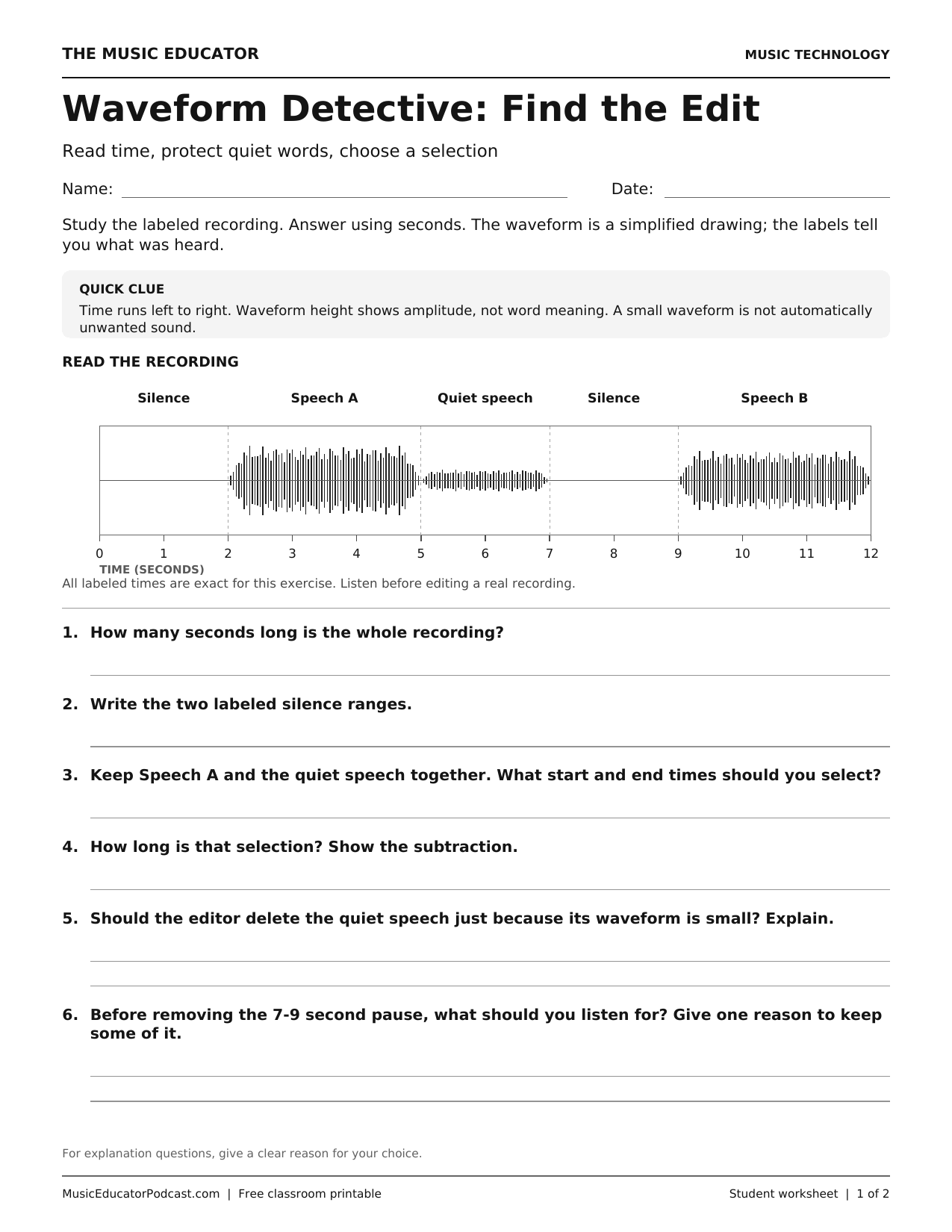
A waveform is a useful map, but it cannot tell students which words matter. This beginner worksheet pairs a clearly labeled twelve-second recording with editing decisions about quiet speech, pauses, and selection boundaries. Students calculate one selection length and explain why listening must guide an edit.
Learning objectives
- Read start and end times on an audio timeline.
- Calculate duration by subtracting start from end.
- Distinguish quiet speech from a labeled silent pause.
- Explain why an editor listens before deleting audio.
How to use this worksheet
Use this ten-minute paper activity before a first editing demonstration. Ask partners to defend the quiet speech before showing how a real editor selects a time range. No recording is needed; the supplied labels provide the listening information.
What is included
The free two-page US Letter PDF contains one student worksheet followed by its matching answer key. Print page 1 for students; keep page 2 for discussion or checking. No audio files or software account are required.
Download worksheet and answer key (PDF)
Frequently asked questions
Does the worksheet include a sound file?
No. Its labeled diagram supplies the information needed for the questions. Extend it with a teacher-made recording if desired.
Does a flat-looking waveform always mean silence?
No. A zoomed-out display can hide very quiet sound. Listen and inspect more closely before removing audio.
Who is this for?
Beginning music technology students, including middle-school classes learning to select audio.