
MIDI and Digital Audio Lab
All Music Technology Worksheets
Help students explain what changes inside a digital music project. These seven printable activities connect MIDI events, timing, channel routing, sample rates, and bit depth to small models students can inspect and calculate.
Free PDF downloads • Seven worksheets • 56 questions • Student pages and matched answer keys • US Letter
Download the complete packet
Download MIDI and Digital Audio Lab — student pages and answer keys (14-page PDF)
Print pages 1–7 for students and keep pages 8–14 as the teacher keys. Each individual PDF below contains a student page followed by its matching key. No software account or audio files are required.
Learning goals
- Transpose an entire MIDI pattern by an exact number of semitones while preserving starts, lengths, and pitch distances.
- Compare MIDI note length and velocity without treating velocity as an exact loudness measurement.
- Calculate nearest-grid quantization and distinguish timing alignment from unchanged pitch and duration.
- Convert measures and tempo into seconds using explicit meter and export-boundary assumptions.
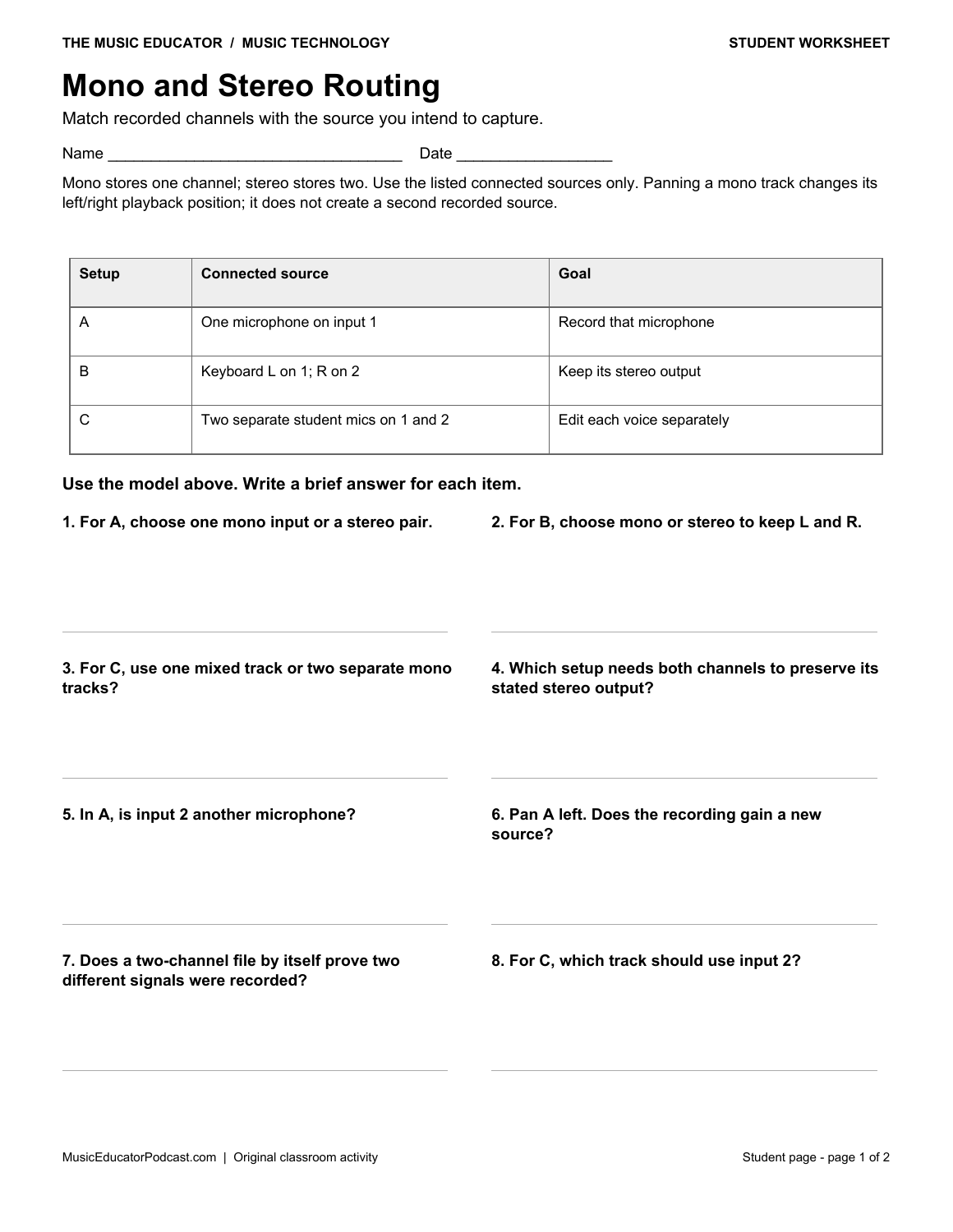
- Choose mono, stereo, or separate-track routing from a specific recording setup.
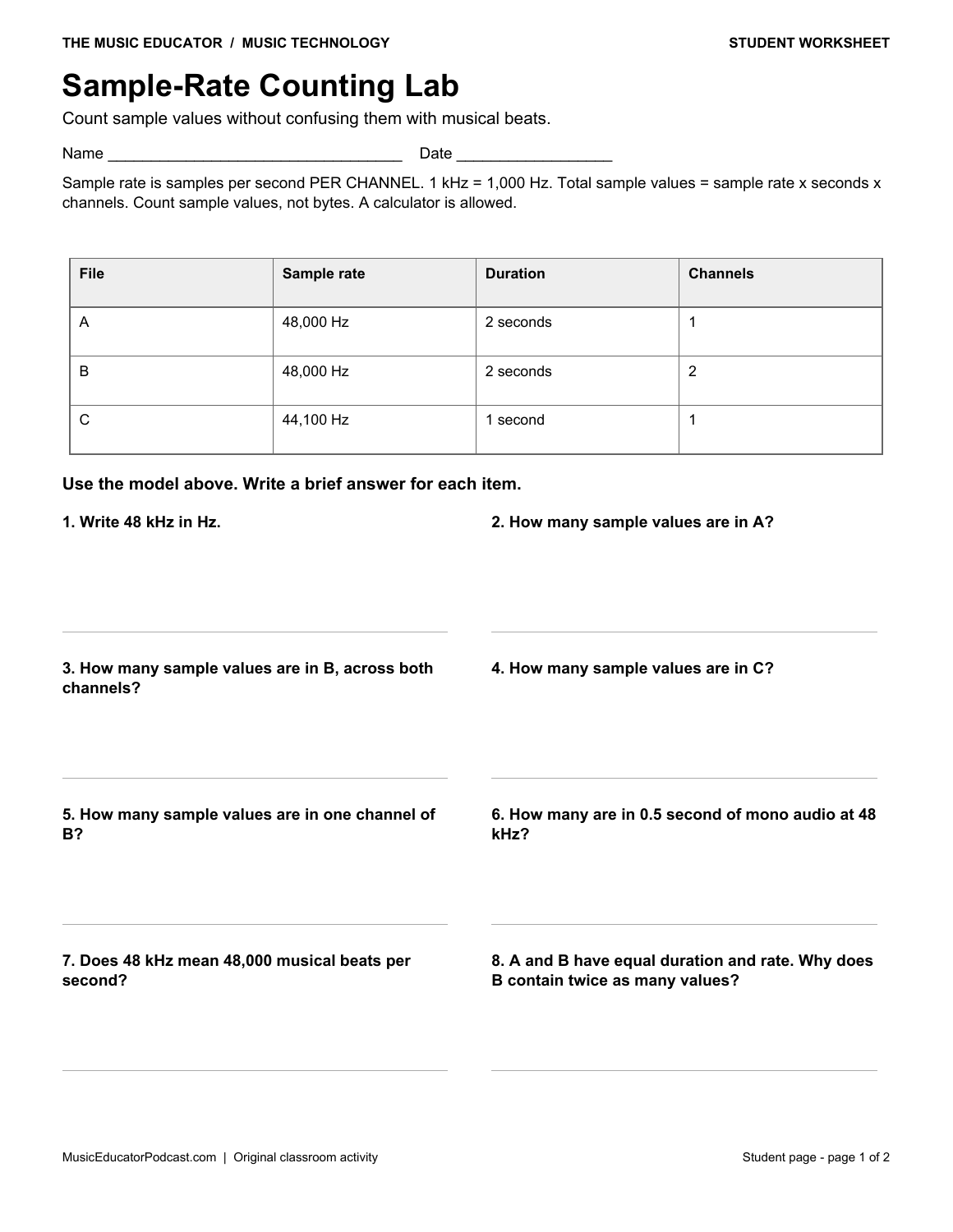
- Calculate sample counts per channel and across channels at stated sample rates.
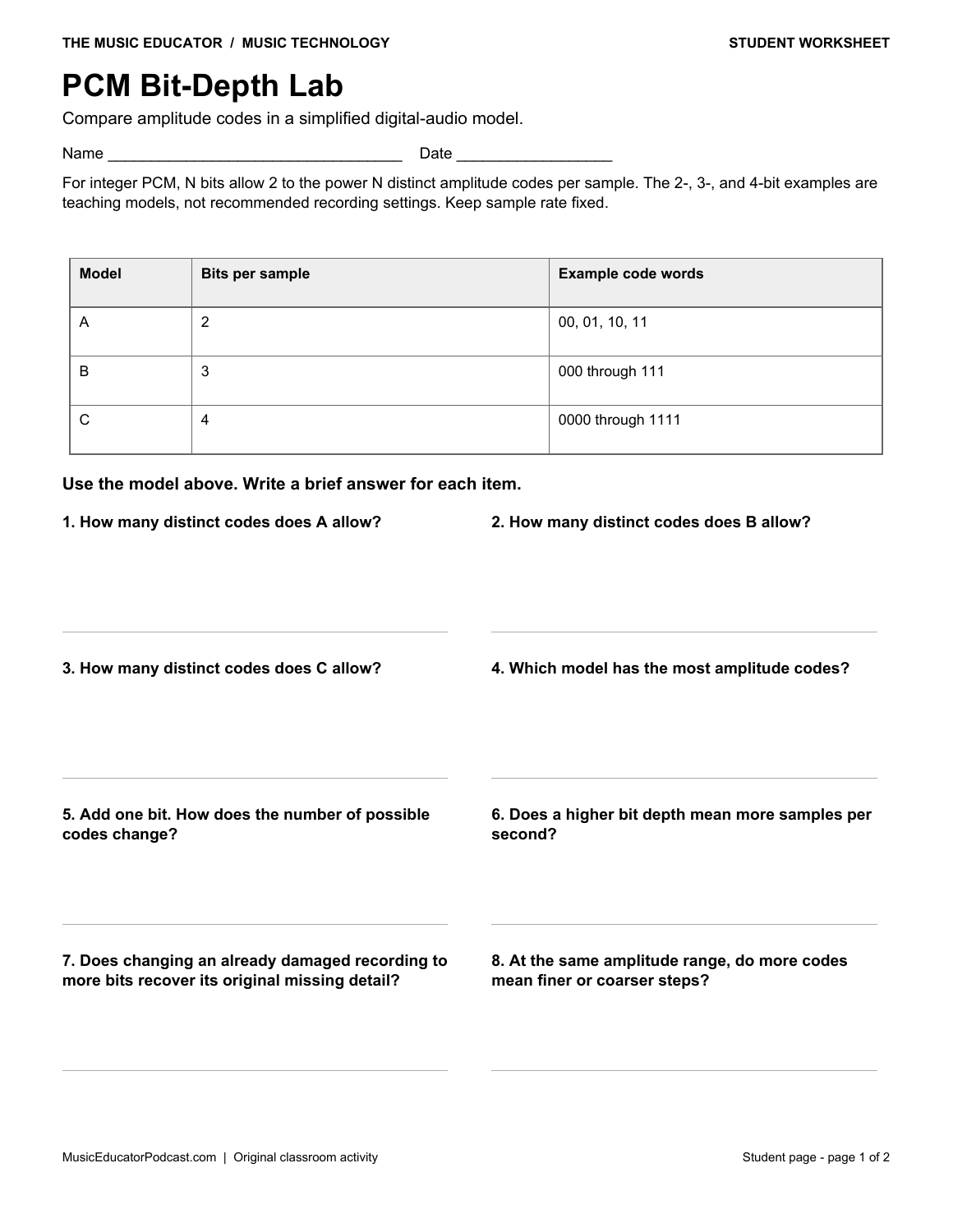
- Separate integer PCM amplitude resolution from sample rate and restoration of missing information.
Choose a worksheet
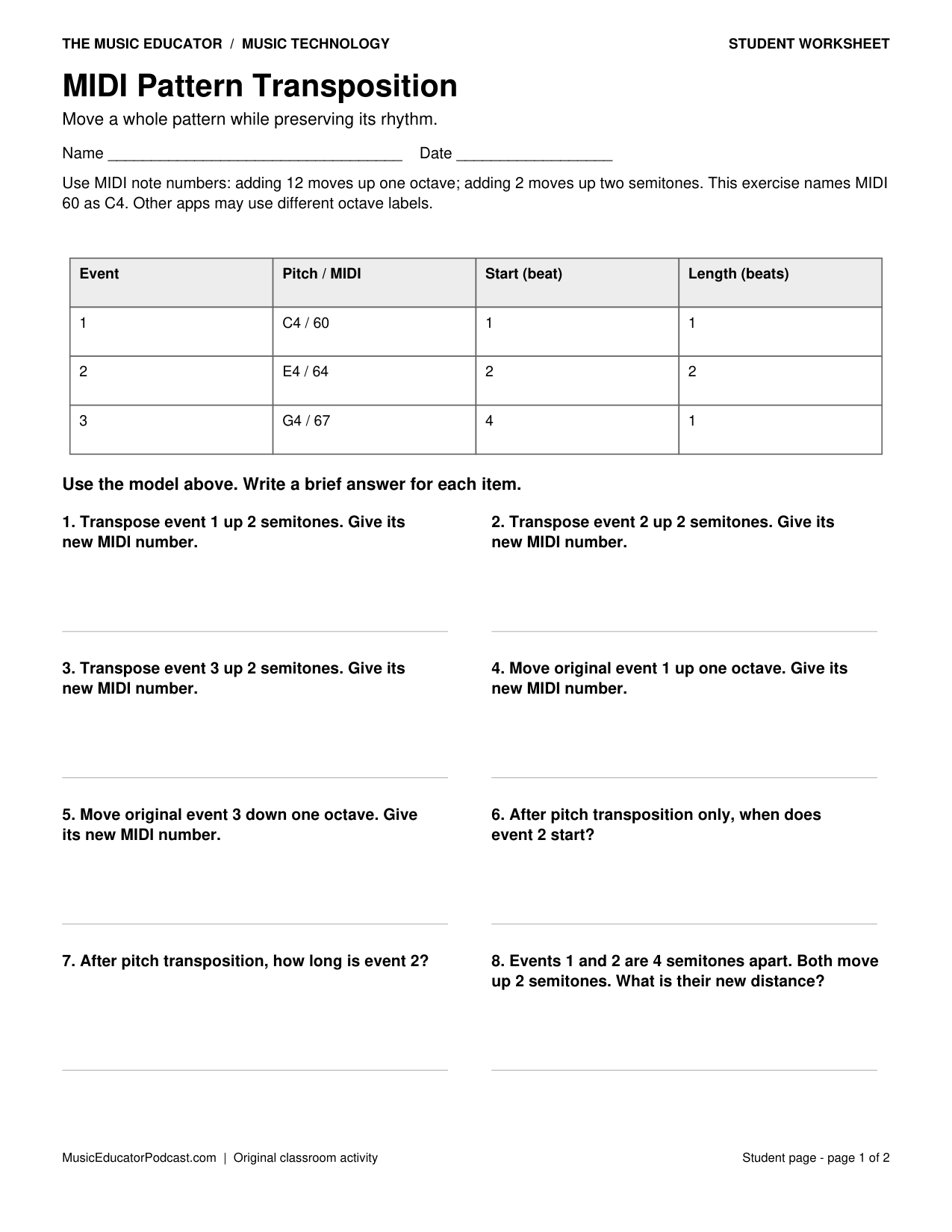
MIDI Pattern Transposition
Move a whole pattern while preserving its rhythm. Transpose an entire MIDI pattern by an exact number of semitones while preserving starts, lengths, and pitch distances.
Download MIDI Pattern Transposition with answer key (2-page PDF)
Preview the student worksheet
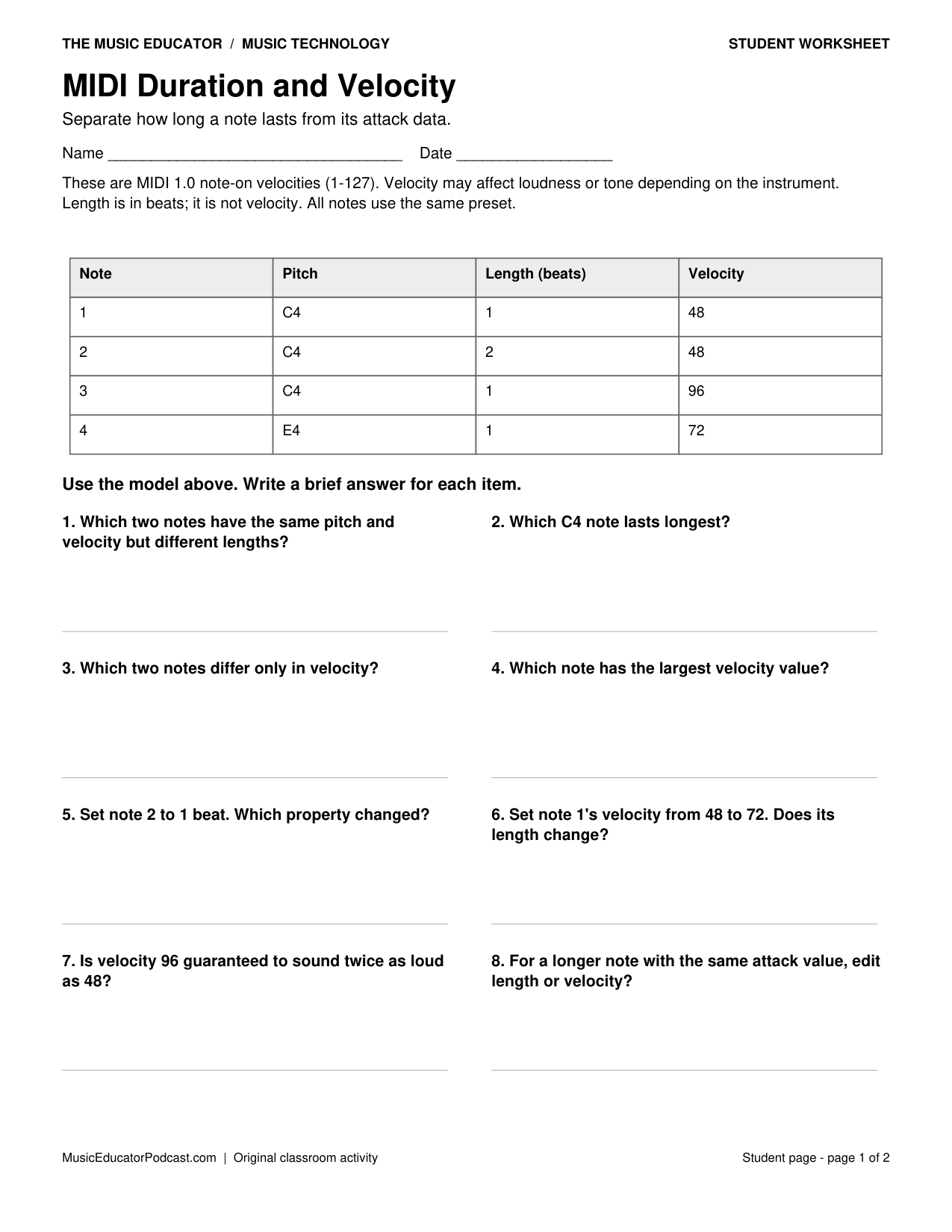
MIDI Duration and Velocity
Separate how long a note lasts from its attack data. Compare MIDI note length and velocity without treating velocity as an exact loudness measurement.
Download MIDI Duration and Velocity with answer key (2-page PDF)
Preview the student worksheet
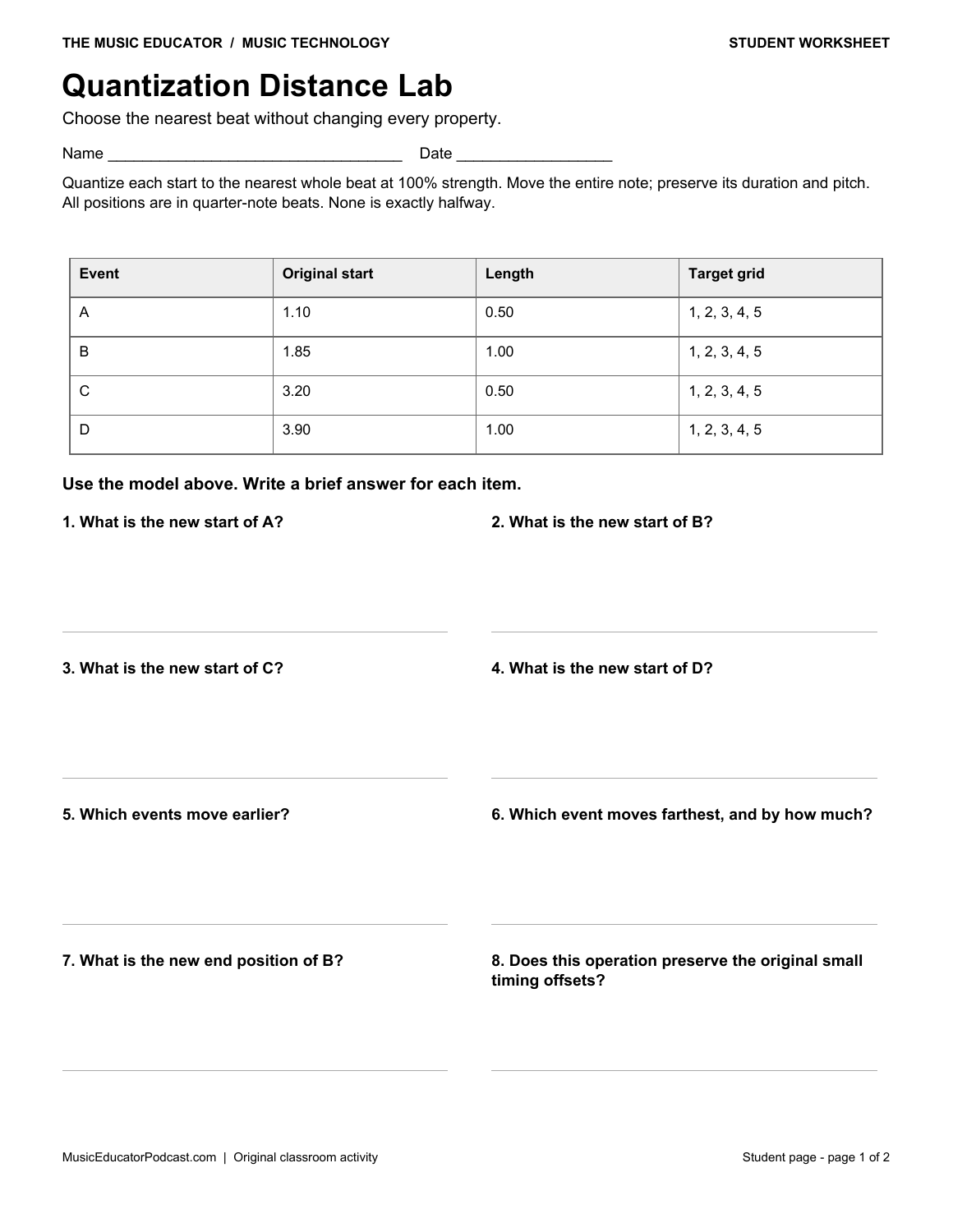
Quantization Distance Lab
Choose the nearest beat without changing every property. Calculate nearest-grid quantization and distinguish timing alignment from unchanged pitch and duration.
Download Quantization Distance Lab with answer key (2-page PDF)
Preview the student worksheet
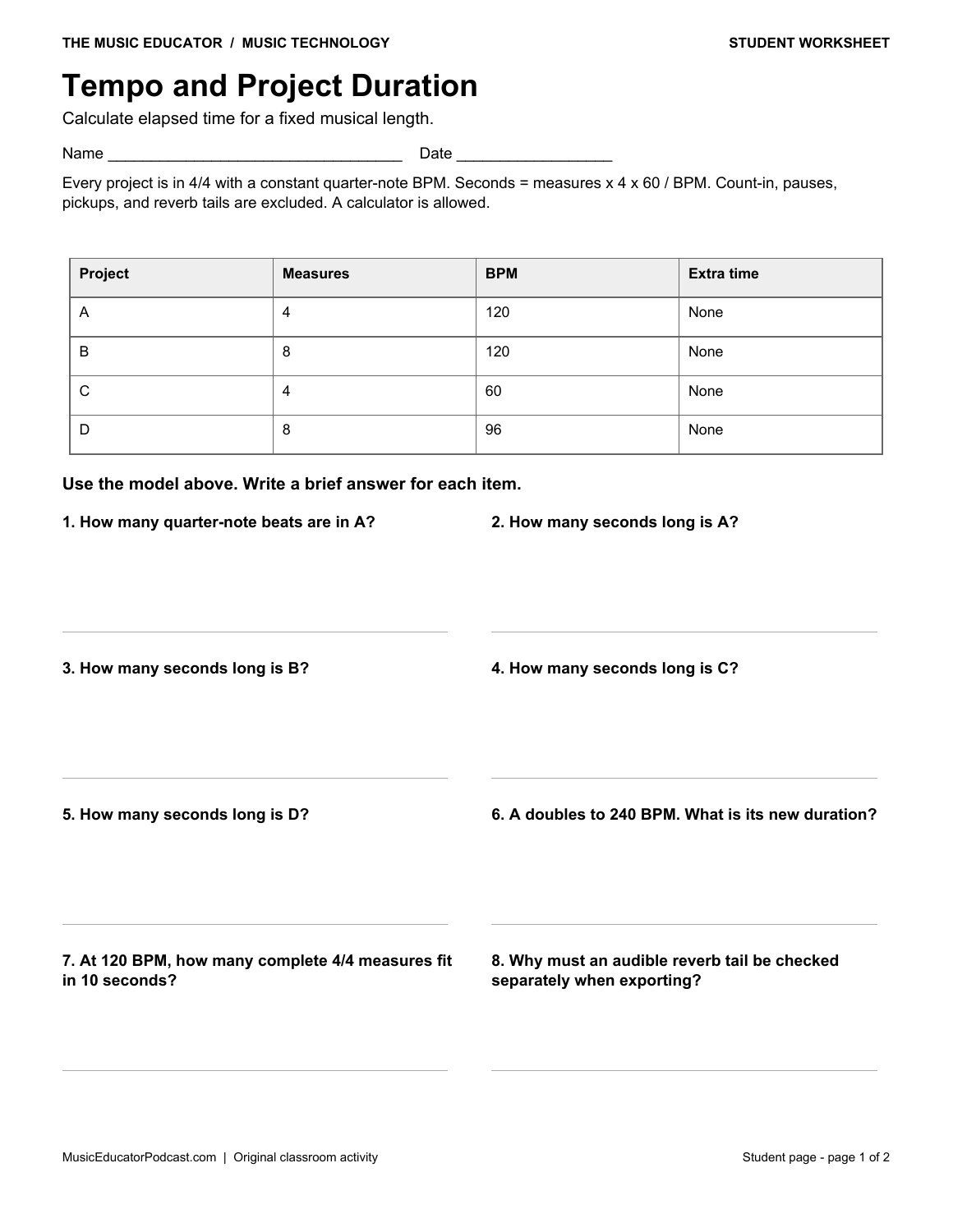
Tempo and Project Duration
Calculate elapsed time for a fixed musical length. Convert measures and tempo into seconds using explicit meter and export-boundary assumptions.
Download Tempo and Project Duration with answer key (2-page PDF)
Preview the student worksheet
Mono and Stereo Routing
Match recorded channels with the source you intend to capture. Choose mono, stereo, or separate-track routing from a specific recording setup.
Download Mono and Stereo Routing with answer key (2-page PDF)
Preview the student worksheet
Sample-Rate Counting Lab
Count sample values without confusing them with musical beats. Calculate sample counts per channel and across channels at stated sample rates.
Download Sample-Rate Counting Lab with answer key (2-page PDF)
Preview the student worksheet
PCM Bit-Depth Lab
Compare amplitude codes in a simplified digital-audio model. Separate integer PCM amplitude resolution from sample rate and restoration of missing information.
Download PCM Bit-Depth Lab with answer key (2-page PDF)
Preview the student worksheet
Classroom use
Begin with one MIDI pattern, then compare pitch, duration, and velocity as separate properties. Use a calculator for tempo and sample-count tasks. Ask students to show their units and explain which values stay unchanged. The quantization task uses an explicitly defined nearest-grid rule; discuss how a real project may sound better with some human timing preserved.
Use one worksheet as a 10–15 minute warm-up, partner task, or exit check. Read the model and its assumptions together before students work independently. Review explanations as well as final answers; the keys show the intended reasoning for these specific scenarios.
Frequently asked questions
What age group is this for?
These activities suit introductory secondary music technology and adaptable adult beginners. Teachers can model the arithmetic or allow calculators when students need support.
Can I print only the student pages?
Yes. Print page 1 of an individual download, or pages 1–7 of the complete packet. Answer keys follow the student pages.
Do the diagrams represent a particular DAW?
No. They are simplified teaching models. Follow each worksheet’s stated units, scales, and rules; real applications may label controls differently.
Related free resources
For technical background, see Ableton’s reference manual and Audacity’s digital audio guide. The worksheet diagrams and exercises are original teaching materials.