
Step-Sequencer Beat Lab
Music Technology Worksheets · Jump to the free PDF
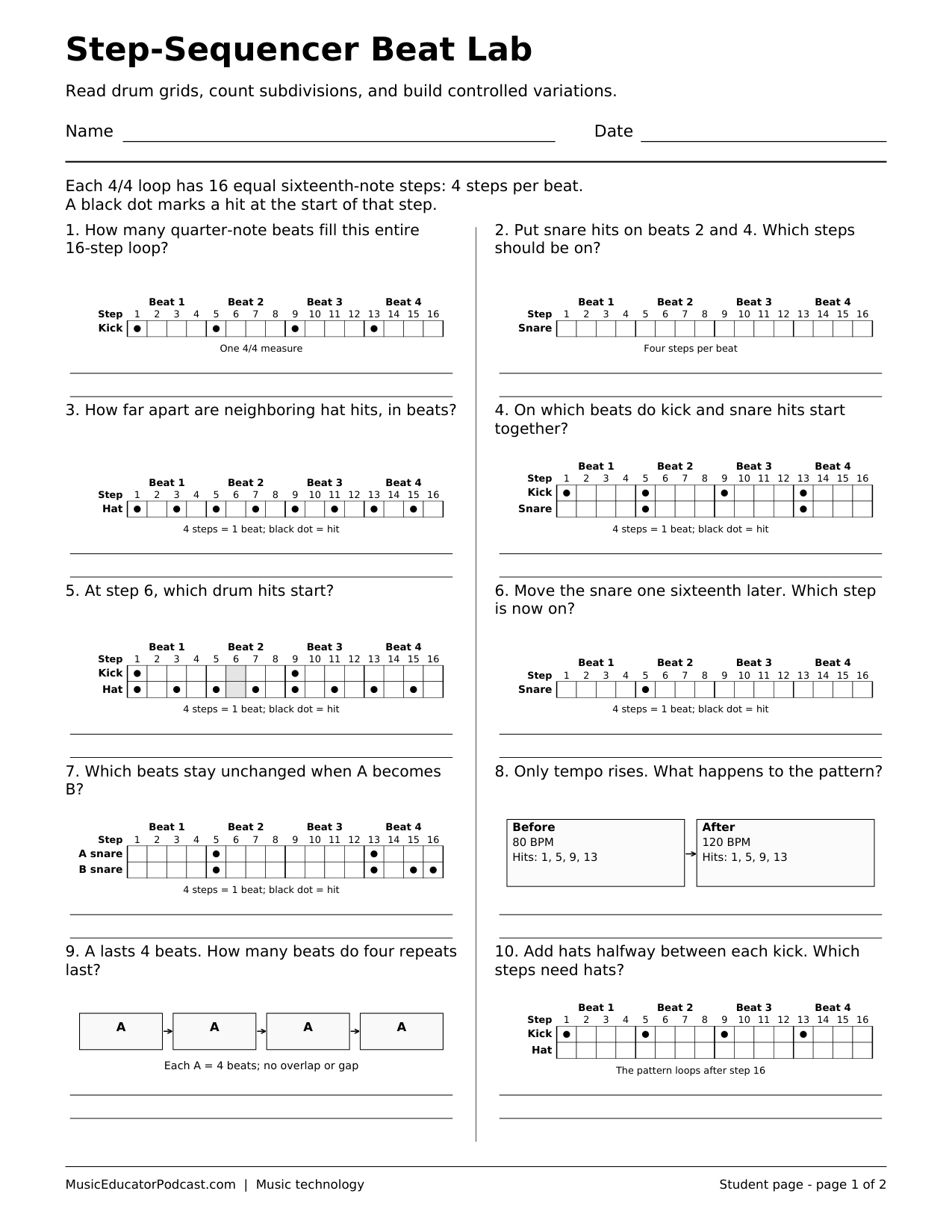
A step sequencer turns a repeating beat into a grid of musical decisions. Students read active cells, connect a sixteen-step pattern to beat positions, and reason about useful variations without needing an account or an audio file. This printable pairs ten focused questions with a matching answer key.
Download and print
Download worksheet and answer key (2-page PDF)
Print page 1 for students. Page 2 is the matching answer key. The free download requires no account.
One black-and-white US Letter student page and one matching key, with ten items using original step grids and pattern diagrams.
What students practice
- Locate drum hits and silent steps in a sequencer grid.
- Connect sixteen evenly spaced steps to a four-beat measure.
- Compare patterns to identify a specific rhythmic change.
- Plan a variation while preserving a stated rhythmic feature.
Classroom use
Display a simple grid and count it slowly before students work independently. After checking the paper responses, invite students to build one pattern in an approved sequencer and change only the named cells. Compare the prediction with the result rather than treating a busier beat as automatically better.
Common questions
Is audio required?
No. Every question can be answered from the printed grid. Listening is an optional extension.
What do the filled cells mean?
A filled cell marks a sound starting at that step; an empty cell has no new hit in that row.
Is this a complete drum-notation lesson?
No. It focuses on reading and changing a digital pattern grid, not on conventional percussion notation.